 OneTime
The Opus Clip replacement you buy once.
Opus Clip runs $19-119/mo and Submagic $18-39/mo to repurpose social video — download it, strip the captions, rewrite the hook, re-voice it. Clip Pipeline does the entire pipeline on your own machine for $49, once: point it at any video (or an entire creator profile) and it downloads, transcribes, removes the original captions, rewrites the script, generates a new voiceover, and reassembles a finished, captioned clip.
Everything in the box
Download, de-caption, rewrite, re-voice, and reassemble social video clips — fully automatic or step-by-step, in bulk across a whole creator page. $49, once.
Full repurposing pipeline
Download → transcribe → remove captions → rewrite script → re-voice → reassemble, run automatically or one step at a time.
Four caption-removal modes
From fast blur/crop to a scene-rebuild mode that regenerates clean frames so the original captions never exist in the output.
Local or cloud engines
Groq Whisper or a fully local GPU transcriber, no rate limits; ElevenLabs or a free local cloned TTS voice.
Bulk & batch mode
Scan an entire creator's profile or page, bulk-download, and run the whole batch unattended — resumable if interrupted.
YouTube Clipper
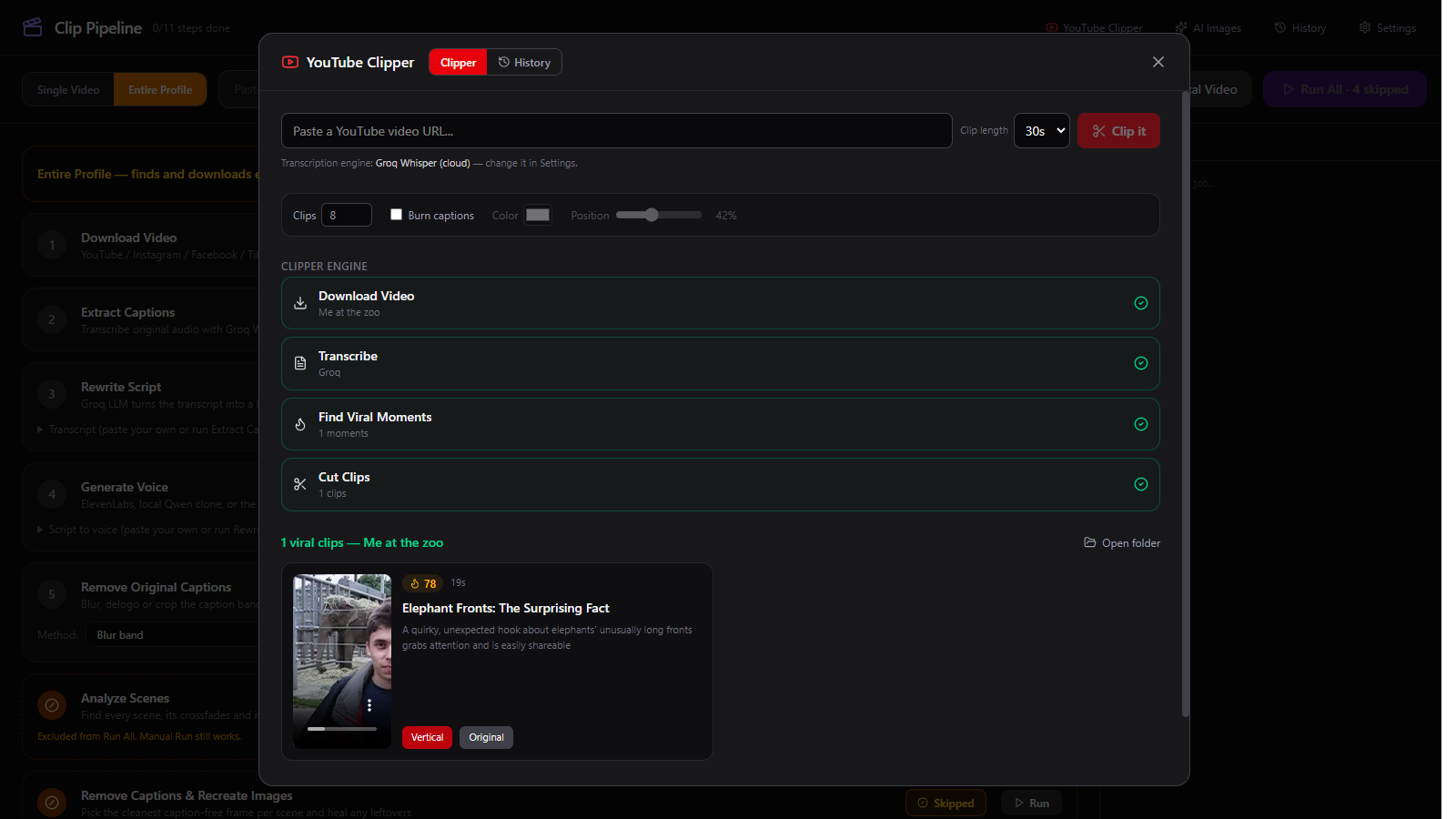
Turn one long video into several short, viral-scored vertical clips with burned-in captions.
Multi-key rotation
Add several free-tier Groq keys and the pipeline auto-rotates past rate limits instead of stalling.
Clip Pipeline vs Opus Clip
Opus Clip charges $19-119/mo. Here's what actually differs.
| Clip Pipeline | Opus Clip | |
|---|---|---|
| Price | $49 once | $19-119/mo (~$228-1,428/yr) |
| Caption removal | 4 modes incl. scene-rebuild | Basic |
| Script rewrite | Editable prompt, Llama 3.3 | Limited |
| Re-voicing | ElevenLabs or free local voice | Add-on / limited |
| Bulk/batch processing | Yes, whole-profile scan | Per-clip only |
| Long-form → shorts | YouTube Clipper included | Separate product tier |
| Source code | MIT, on GitHub | Closed |
Against Opus Clip's middle tier, Clip Pipeline pays for itself inside the first month — every clip after that costs nothing but compute you already own.
One price. No asterisks.
Desktop app — pay once, it's yours on your machine forever.
Download Clip Pipeline
Version 1.0.1 — install, then sign in with Whop. Your purchase unlocks it; there is no licence key to enter.
Clip Pipeline
Windows and macOS (Apple Silicon). Runs locally on your own machine — your GPU, your API keys, your files.
Up and running in three steps
Buy once on Whop
One payment of $49 gets you the packaged Windows installer. Or clone the MIT source and build it yourself for free.
Paste a video or a whole profile URL
Single clip, or an entire creator page for bulk download and batch processing.
Run the pipeline
Automatic end-to-end, or step through download → de-caption → rewrite → revoice → assemble, editing the transcript or script along the way.
Fair questions
Do I need API keys?
A free Groq API key covers transcription and script rewrite. ElevenLabs is optional — there's a free local cloned voice built in for re-voicing with zero API calls.
Can it process a whole creator's page, not just one video?
Yes — paste a profile or page URL to scan and bulk-download every video, then run the whole batch through the pipeline unattended.
What happens to the original captions?
Removed. Four modes are available, from a fast blur to a scene-rebuild mode that regenerates each scene from a clean background so the original captions never exist in the output at all.
Is the source code available?
Yes — Clip Pipeline is MIT-licensed at github.com/bensblueprints/clip-pipeline. Buying the $49 package gets you the built installer; building from source is free.
Does it work for long-form-to-shorts too?
Yes — the YouTube Clipper mode turns one long video into multiple short, viral-scored vertical clips with captions burned in.
Related tools
More pay-once apps from the OneTimeSuite catalog.
The Opus Clip alternative you buy once.
Every PDF tool you actually use — running 100% on your machine.
Remove image backgrounds with local AI. Unlimited images, full resolution, zero uploads.
Unlimited local audio & video transcription. Your audio never leaves your machine.
More about Clip Pipeline
Every page we publish about this app — comparisons, personas, platforms and the problems it solves.
Compare
For you
Platforms
Inside the app, not a mockup.
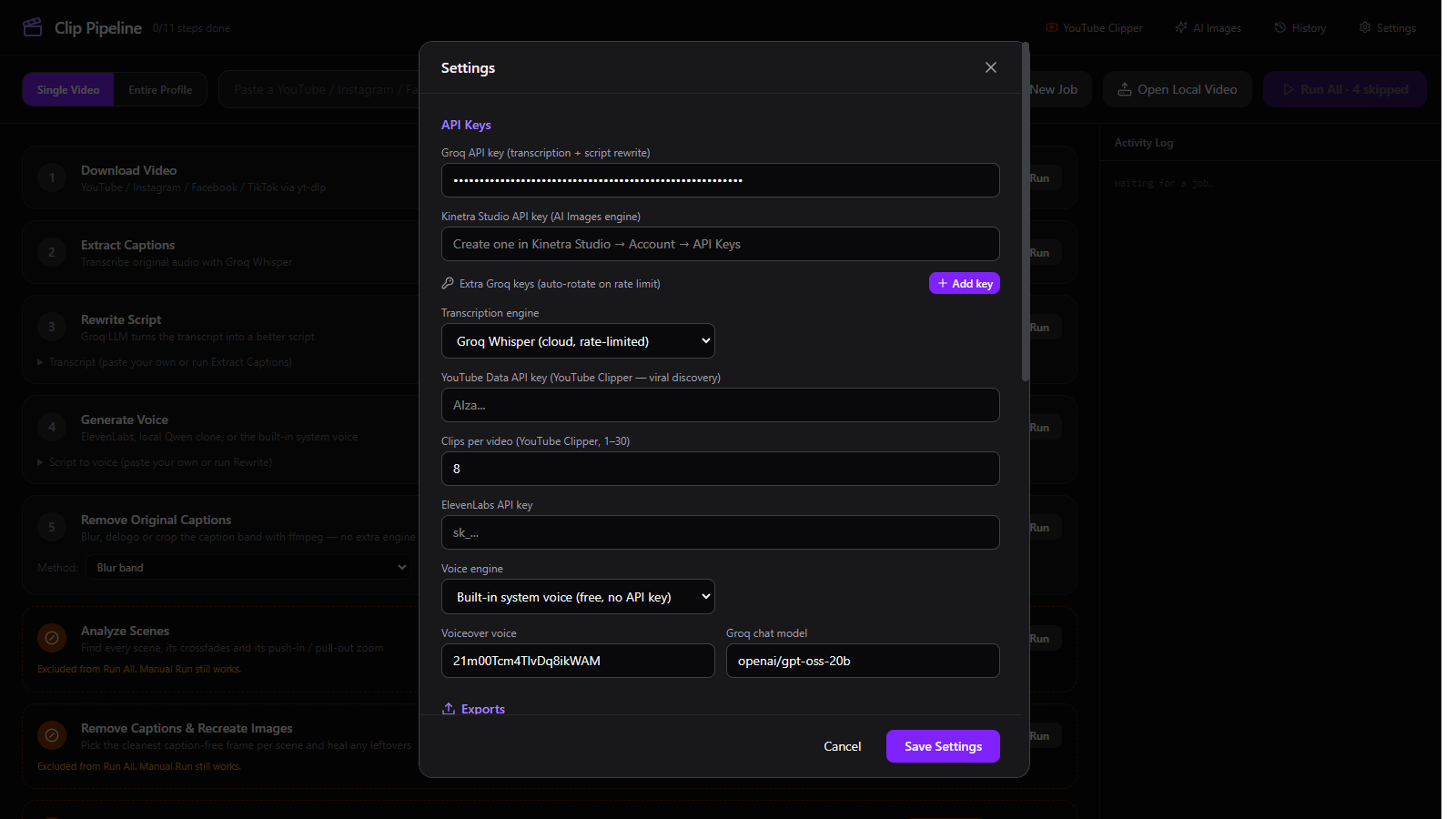
Real screenshots from Clip Pipeline 0.1.0 — the main window, the pipeline steps, caption removal settings, and the YouTube Clipper. Every image links to the part of the guide that explains it.
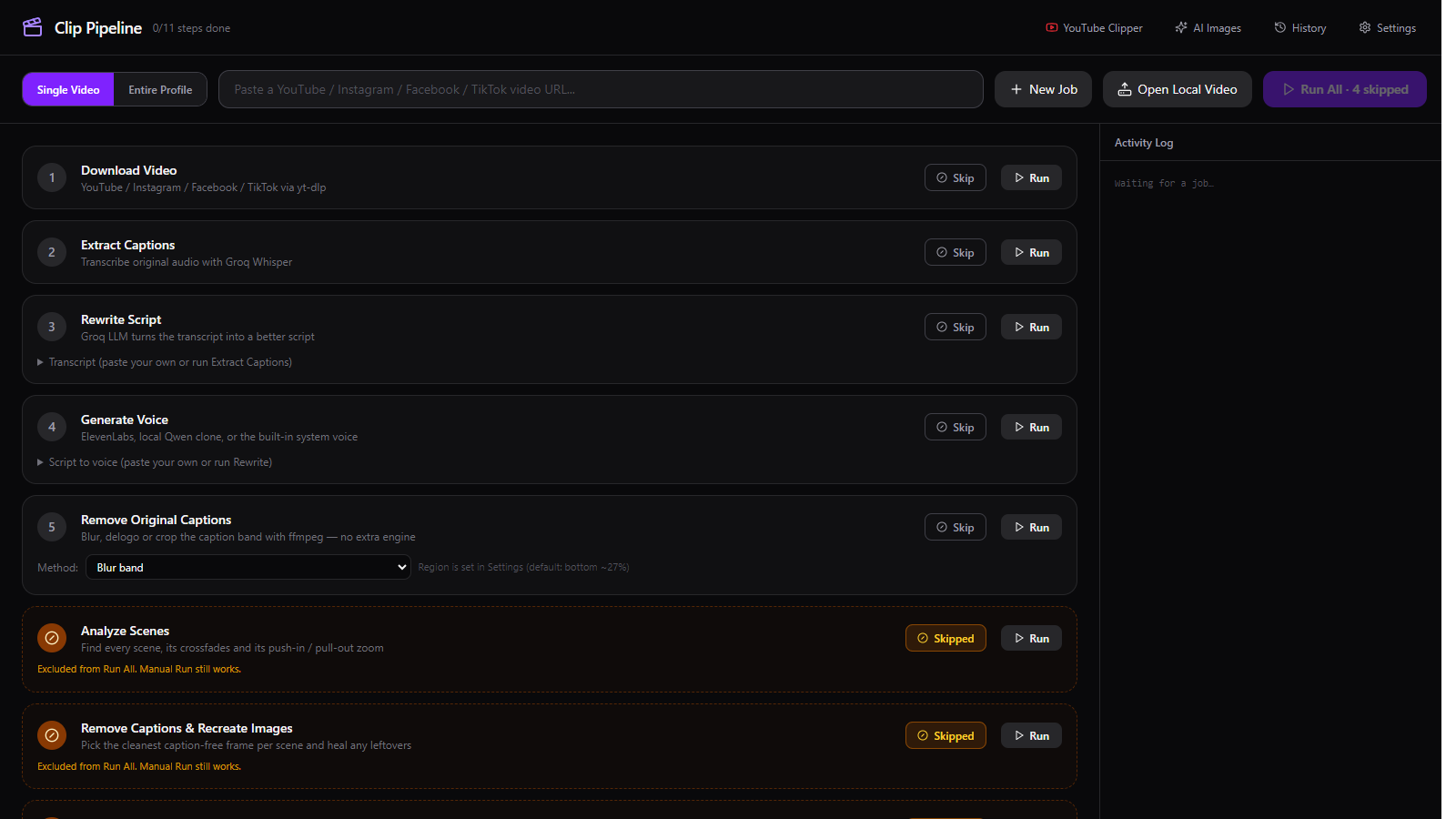
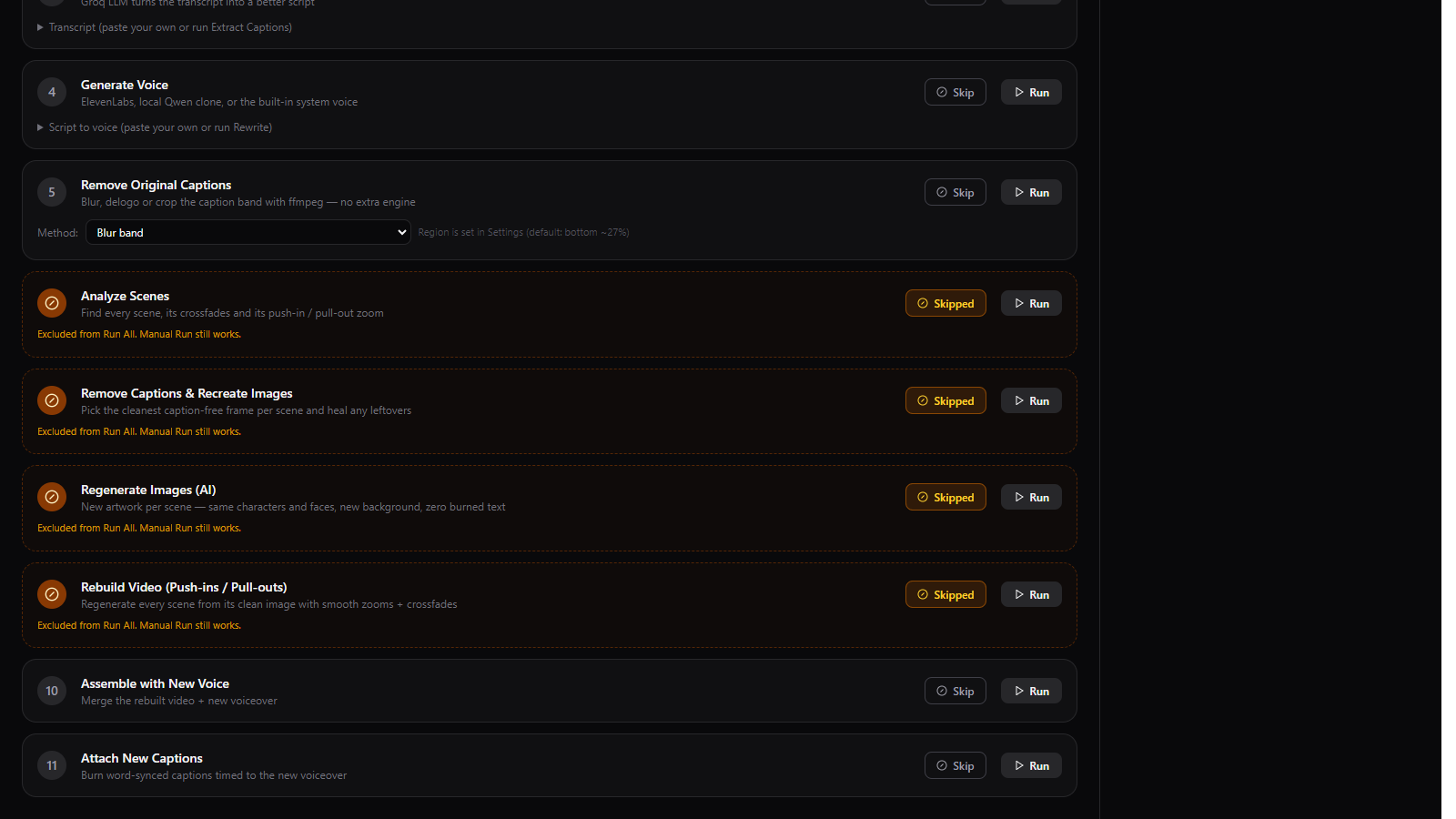
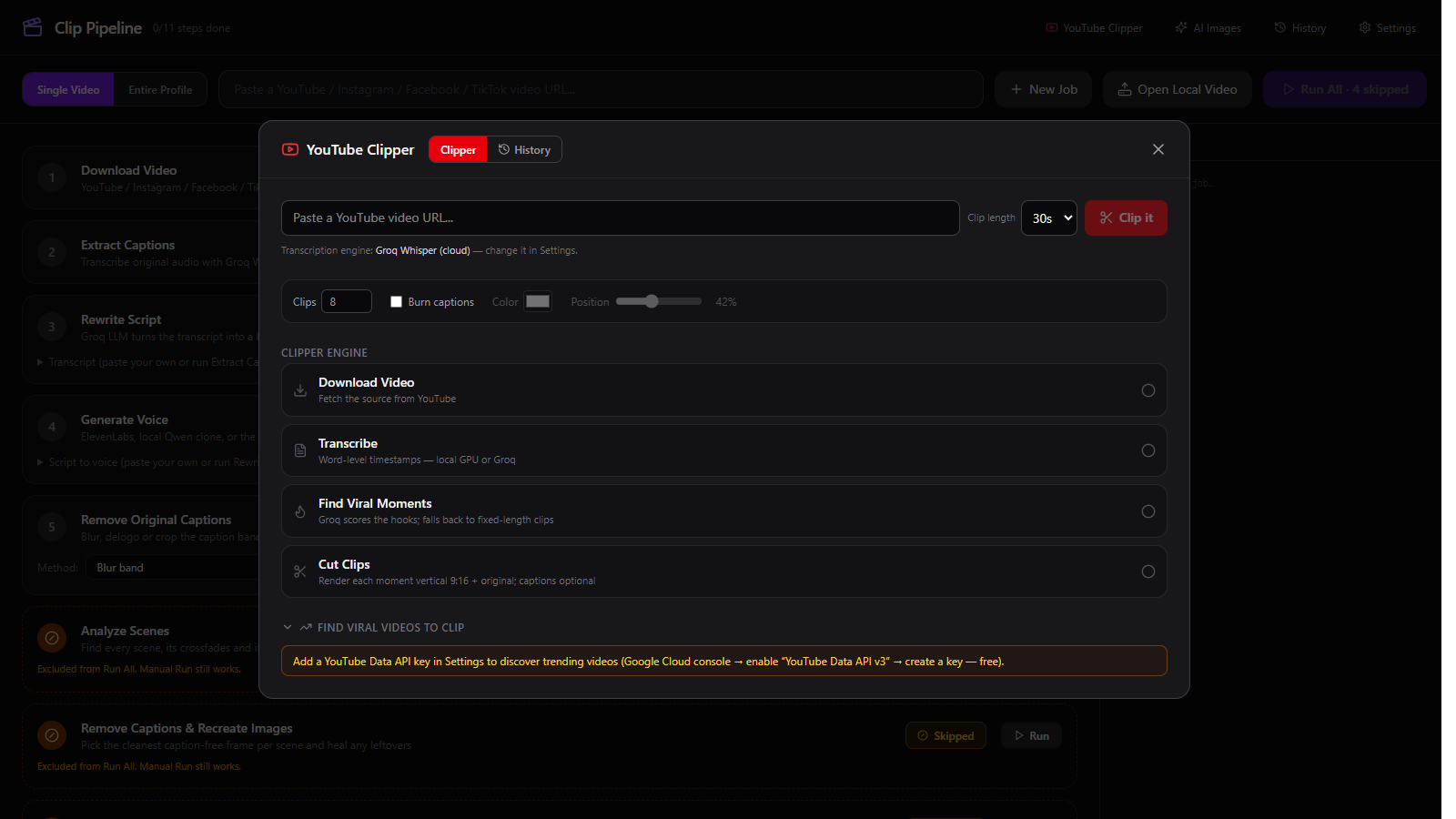
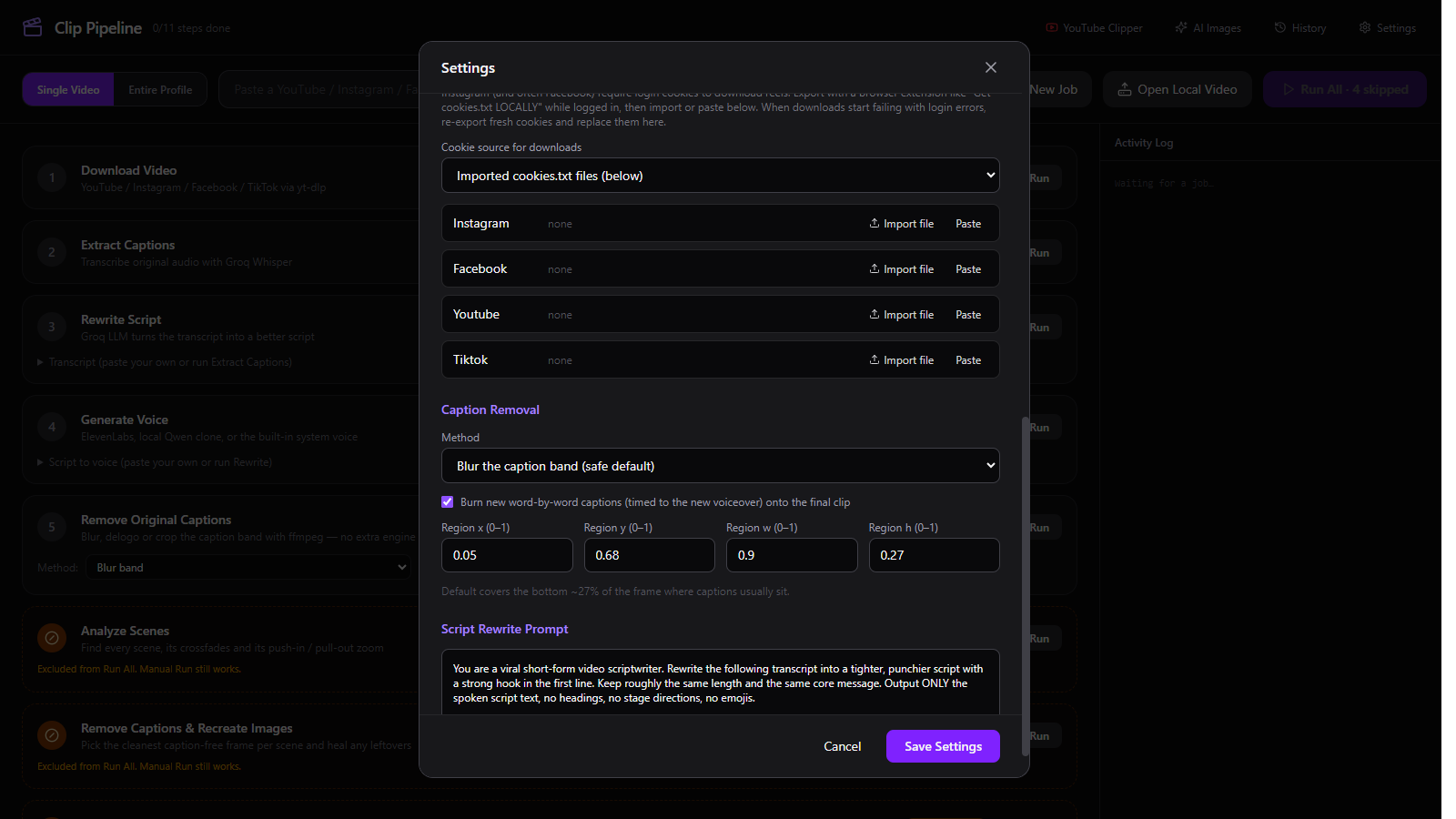
The manual is here too.
Everything the buyer needs, with screenshots: install, the free Groq key, every pipeline step and setting, the YouTube Clipper, the no-AI path, and troubleshooting. No account or login required to read it.
Install & quick start
Windows installer, unsigned macOS DMG, first launch, and the five steps from URL to finished clip.
Read →Free Groq API key
Why the full workflow needs one, the sign-up steps, and where to click to create the key.
Read →Every pipeline step
Download, transcribe, rewrite, re-voice, remove captions, rebuild, caption — and how Skip works.
Read →Settings, exports & cookies
Transcription engine, local export folder, caption method, platform cookies and API keys.
Read →YouTube Clipper
1–30 clips, 15/30/60s, caption colour and position, captions off, and the fixed-length fallback.
Read →Run it without AI accounts
Local Whisper, the built-in system voice, paste-your-own script, and heuristic clip selection.
Read →Files & troubleshooting
Where jobs and settings live, the common errors, and the exact fix for each.
Read →Changelog
Release notes synced from GitHub, with Windows and macOS downloads for every version.
Read →GitHub repository
MIT-licensed source, issue tracker, and the release feed the changelog is built from.
Open →Stop renting. Own Clip Pipeline.
Download, de-caption, rewrite, re-voice, and reassemble social video clips — fully automatic or step-by-step, in bulk across a whole creator page. $49, once.
Get Clip Pipeline — $49 once